Your machine.
Understood.
A control center for the Linux machines you rely on. Processes, ports, services, and hardware—one clear view, in your browser or terminal.
01 / YOUR WORKSPACE
All the signals.
One place to look.
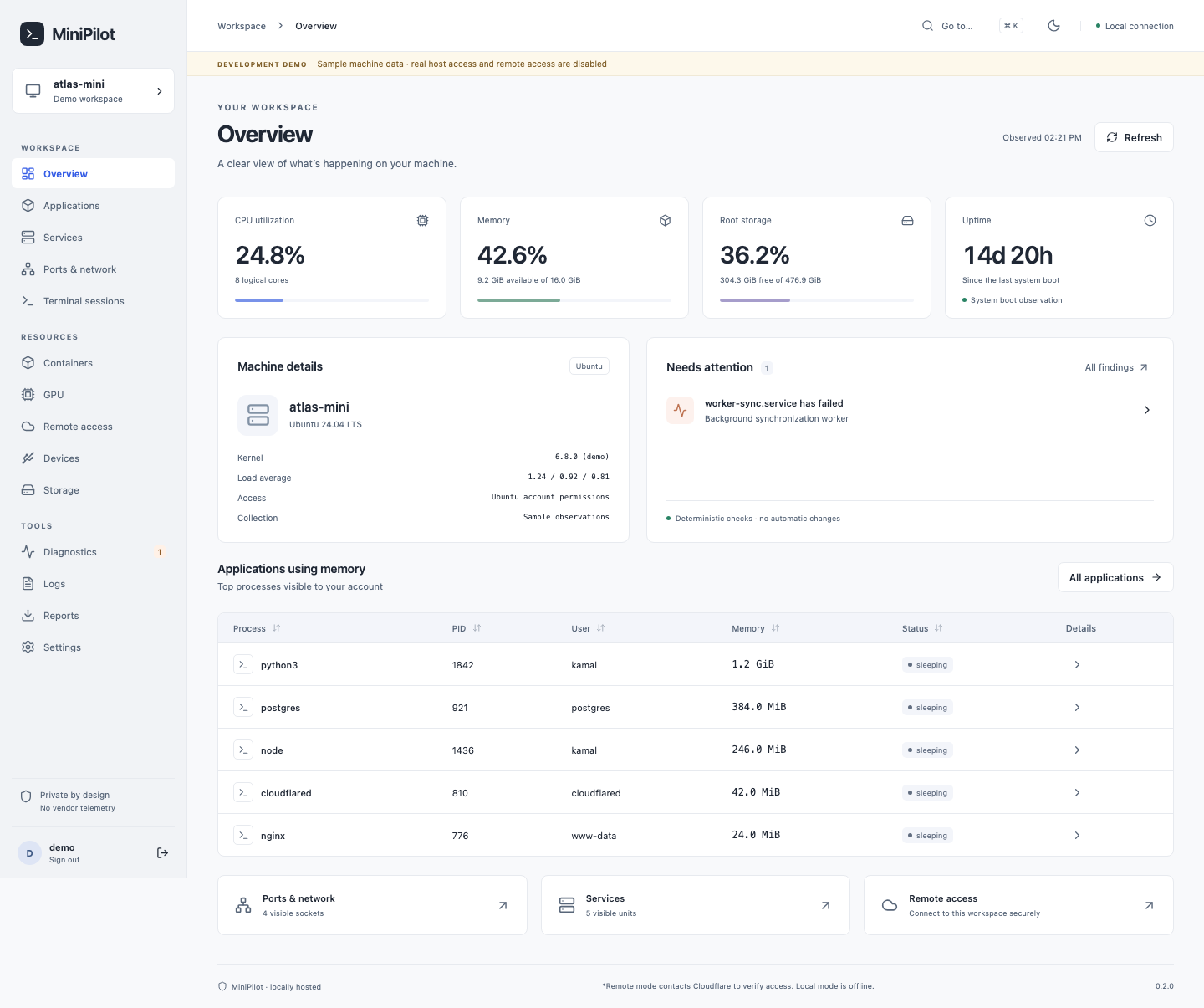
Keep the bigger picture in view.
Get into the details when you need to.
02 / FROM SIGNAL TO ANSWER
Less command hunting.
More understanding.
Repeatable observations from the machine itself.
No prompts. No tokens. No guesswork.
TCP :3000 node PID 2841The connection between “it is running” and “what is running”.
ILLUSTRATIVE OUTPUT · NOT LIVE DATA03 / UNDER THE HOOD
Small machine.
Full perspective.
From the box under your desk
to the server running your workloads.
Machine & processes
CPU, memory, uptime, and the processes consuming them.
CPU / RAM / UPTIMEPorts & services
Listening sockets, owning processes, systemd units, and journal logs.
PORT → PROCESS → SERVICEContainers & GPUs
Docker, Podman, and NVIDIA metrics alongside the rest of your machine.
DOCKER / PODMAN / NVIDIATerminal sessions
Find screen and tmux sessions without remembering another command.
SCREEN / TMUXStorage & devices
Filesystems, inodes, USB devices, cameras, and serial connections.
DISKS / USB / CAMERASDiagnostics & reports
Deterministic findings with evidence. Export reports locally as HTML or JSON.
INSPECT / EXPLAIN / EXPORTViews follow your Ubuntu permissions. Missing tools and unsupported hardware are identified clearly. Illustrations above use sample values.
04 / UP AND RUNNING
Install once.
See what’s happening.
One command installs both interfaces.
No Node.js. No compiler. No separate desktop app.
Run on your Ubuntu machine
Detects your version. Verifies the package. Installs dependencies.
curl -fsSL https://mini-pilot-marketing.pages.dev/downloads/install.sh | bashOpen your preferred workspace
minipilot in your terminal127.0.0.1:8765 in your browser
05 / CONNECT YOUR WAY
At your desk.
Or a domain away.
Open localhost on the machine. Forward the port over SSH from your laptop. Or connect your own domain through Cloudflare Tunnel and Access.
Set up remote accessYour domain. Your Ubuntu login.
Cloudflare handles traffic only when you enable it.
LOCAL IS THE FOUNDATION.
Your machine.
Your data. Your call.
No MiniPilot account, cloud database, or telemetry.
Your workspace runs locally. Core inspection works offline.
A FEW MORE DETAILS
Good to know.
Before you install.
Is MiniPilot really free?
Yes. Install it on your own machine and use it without a subscription, vendor account, or hosted database. MiniPilot does not collect telemetry. Optional services such as Cloudflare have their own accounts, terms, and limits.
Does it install a desktop application?
No. The Ubuntu package installs a local web service and the minipilot terminal command. Open your browser for the visual workspace, or use the terminal over SSH. There is no separate desktop application to maintain.
Can I use it from another computer?
Yes. Forward port 8765 over SSH for local access, including across your Wi-Fi network. For access through your own domain, configure a Cloudflare Tunnel with Cloudflare Access. The remote access guide covers both paths.
Why use this alongside an AI coding assistant?
A coding assistant helps you investigate and change things. MiniPilot gives you a repeatable view of processes, ports, services, containers, and hardware, with evidence from the machine. No prompt, model subscription, or conversation history is needed to check its current state.
Will it work without a GPU, Docker, or internet?
Yes. Local inspection works offline. Missing tools, unsupported hardware, and permission limits appear explicitly instead of being reported as healthy. GPU and container views need the corresponding drivers or tools already installed.
Which systems can I install it on?
Packages target Ubuntu 22.04, 24.04 and 26.04 LTS on Intel/AMD x86-64, desktop or server. The installer detects your Ubuntu version and downloads the matching package. ARM64, interim Ubuntu releases, Debian and other distributions are not qualified for these downloads.
MEET THE MACHINE BEHIND THE WORK.
Take a closer look.
Get MiniPilot for freeUbuntu · Browser + terminal · Yours to run